
Your card is full.
Your evening isn’t.

SplitPrism is a culling app for the Mac. Open the card, press one key per frame, and send the keepers to your NAS. It checks every copy before it lets go of the original, and you can undo anything it does. Your coffee will probably still be warm.

Download for macOS See how it works

macOS 13 or later on Apple silicon · Fujifilm, Sony, Canon and Nikon RAW, plus video · Free while it’s in beta

P
5
X
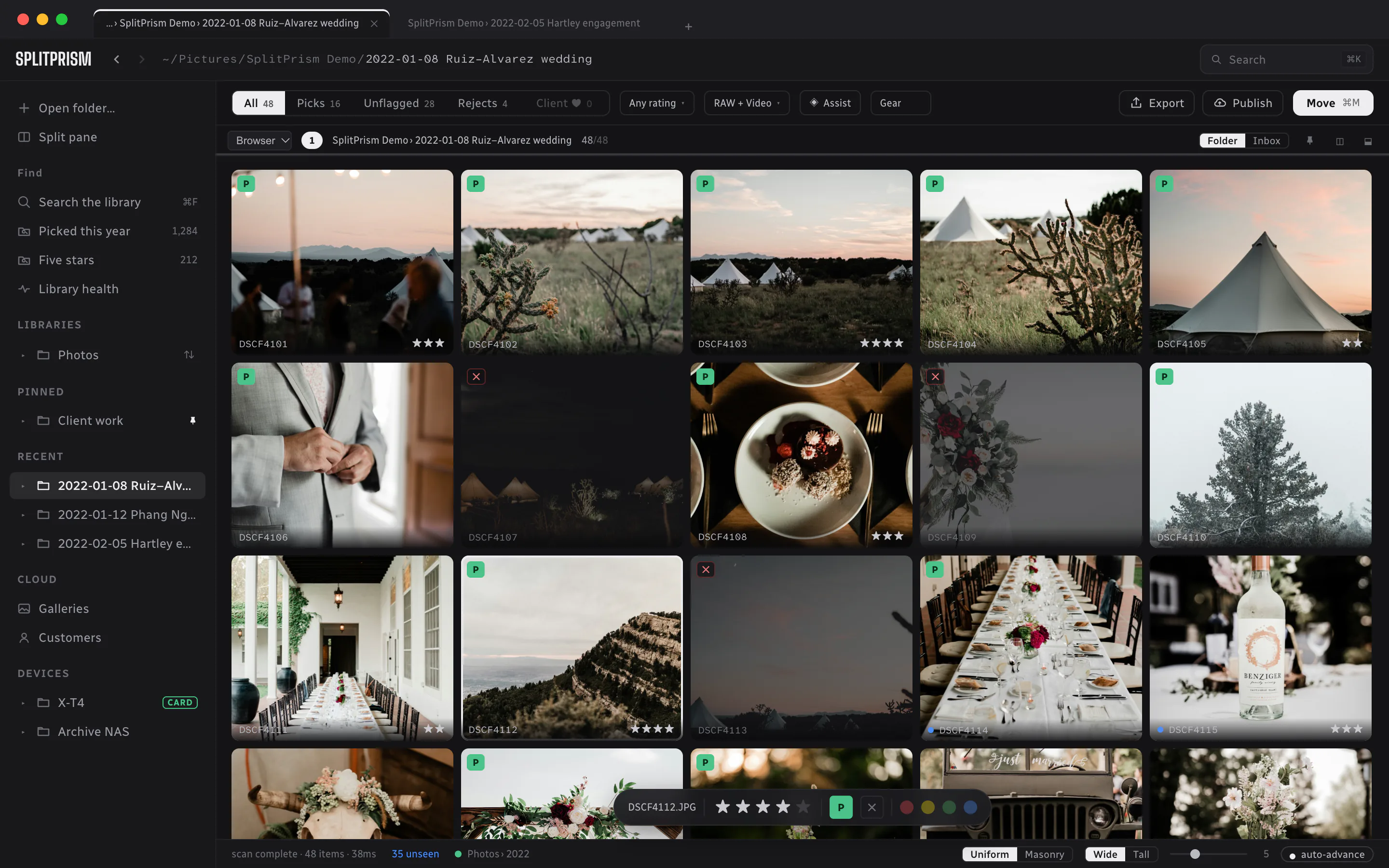
The SplitPrism cull view: a five-across grid of wedding photographs. Picked frames carry a green P, rejected frames are dimmed, stars sit under the keepers, and a floating bar rates the focused frame. The sidebar lists recent folders and a camera card.

A wedding, halfway through. Picks and stars are saved next to each file as you go.

Two ways to spend Tuesday night.

The catalog way
21:04Start importing 421 files into a catalog
21:18Still “Building previews…”
21:39Make a coffee. Check your phone.
22:10Sixty frames in, eyes going
23:00Tell yourself you’ll finish it on Saturday
The SplitPrism way
21:04Card in. The grid’s already there
21:05Start at the top, one key per frame
21:16⌘M. The keepers copy to the NAS and get checked
21:19The rejects stay on the card
21:20Close the laptop
New in 0.2

That folder of old cards?
One sitting.

Most of us have one. Cards copied off in a hurry, onto three laptops and an external drive, some of them twice. Drop the lot into one folder and open it as an Inbox. SplitPrism finds the exact copies, puts RAWs back with their JPEGs, notices the camera whose clock was an hour out, and sorts the rest into the shoots they came from. Then you cull it in one go and file each shoot into its own folder.
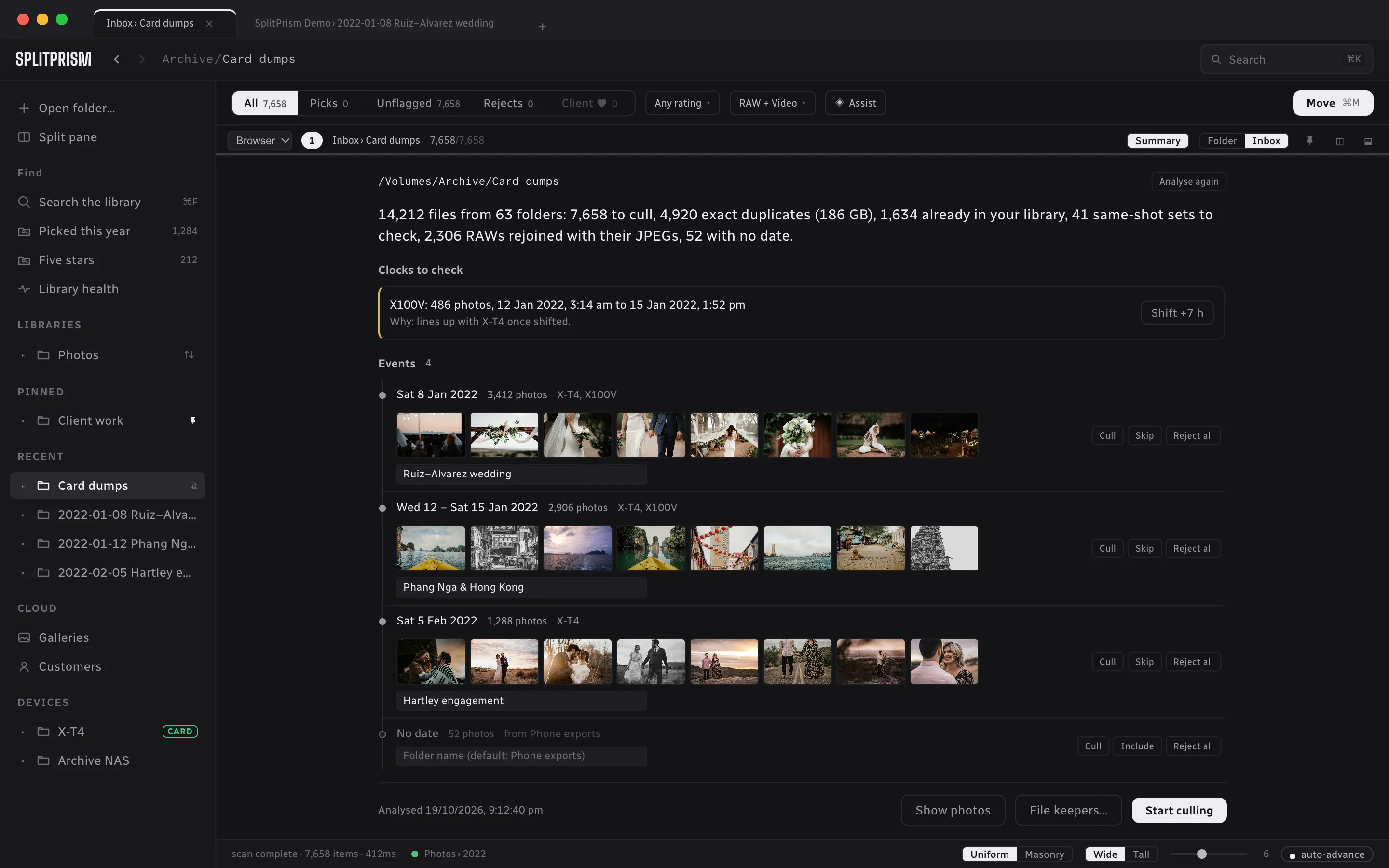
The Inbox summary for a folder of card dumps: 14,212 files from 63 folders, 7,658 to cull and 4,920 exact duplicates. Below it, a camera clock to check, a timeline of three dated events with sample frames from a wedding, a trip and an engagement shoot, a duplicates row, and Start culling and File keepers buttons.
01Nothing goes to the Trash until it matches a copy you’re keeping, byte for byte
02Fixing a clock writes the correction to the sidecar. The original capture time stays put
03Leave a shoot for later, reject one outright, or give it a folder name before it’s filed

One key per frame.

Number keys rate, P picks, X rejects. Anything that touches files needs ⌘, so a slip of the finger can’t move a shoot. With auto-advance on, the next frame is up before you’ve let go of the key.

12345
Rate
PXU
Pick · reject · clear
space
Loupe · play video
⌘M⌘Z
Move the keepers · undo
38ms
To open 421 RAW and JPEG pairs from cold, with nothing imported

Fast because there’s
nothing in the way.

There’s no catalog to build and no previews to wait for. SplitPrism opens the folder as it is and shows the preview your camera already saved inside every RAW, so the first frame is up as soon as the card is.

Opens any folder Works straight off the card RAW and JPEG kept as a pair Built for Apple silicon

Careful with
the originals.

Moving a shoot is the one part of culling that can really go wrong, so SplitPrism takes its time over it. It copies first, reads the copy back to check it, and only then removes the original. Every move is written down, which is why ⌘Z can put things back where they were, even the next morning.

01Copy, check the copy, then remove the original
02A RAW, its JPEG and its sidecar always move together
03Every move is logged, so you can undo it
04Filed into folders named your way · {YYYY}/{YYYY}-{MM}-{DD}_{event}/{stem}

Everything else.

Culling comes first. The rest is there so you don’t have to open another app to finish the job.
A loupe with EXIF and a filmstrip, auto-advance, and undo for every step.
Cards show up in the sidebar when you plug them in. ⌘K finds any command. There’s a histogram, video playback, and counts that update as you filter.
Your library on your phone, sent straight from your Mac and encrypted end to end. No account and no cloud copy, and the RAWs stay at home. Cull from the couch.
Side-by-side compare and 100% zoom. Bursts stack up with the sharpest frame marked. It only ever suggests; you decide what goes.
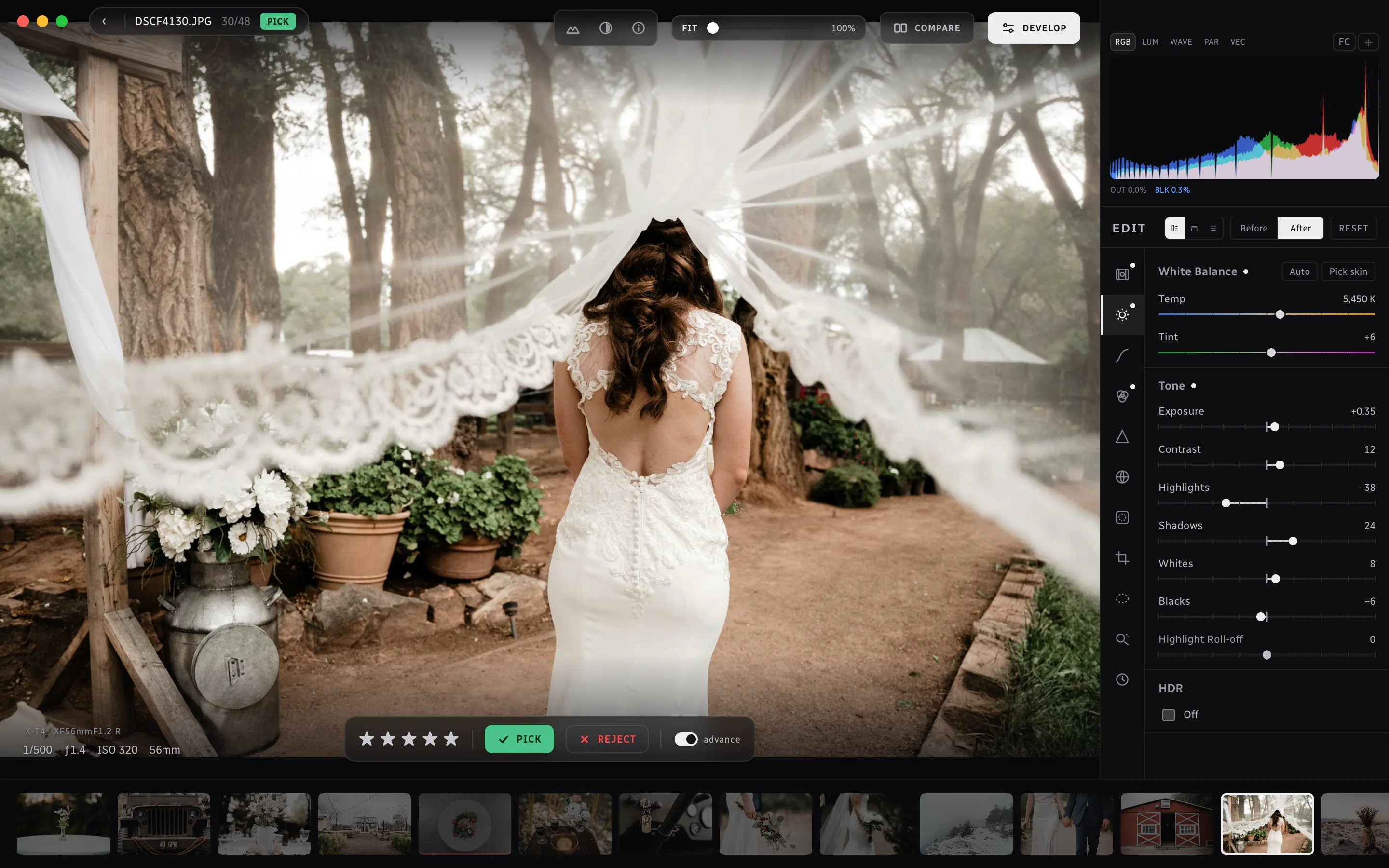
When the picking’s done, edit without leaving the loupe. The scopes sit above the sliders, white balance reads in kelvin, and every edit is saved in the sidecar next to the file.
The loupe in develop mode: a bride walking away under a windblown veil fills the frame. On the right, an RGB histogram sits above the edit panel, with the Light group open showing Temp at 5,450 K, Tint +6 and Exposure +0.35. A filmstrip of the wedding runs along the bottom.
Editing in the loupe, with the histogram above the sliders.

Your folders
stay yours.

Ratings, picks and edits are saved in XMP sidecars next to each file, the same format Lightroom reads. There’s no library to import into, so there’s nothing to export if you ever stop using it.

Your culls show up in Lightroom, Capture One, digiKam, or anything else that reads XMP.

Hear when 1.0 is out.

SplitPrism is free while it’s in beta. Send us a line and we’ll write back once, when 1.0 ships. That’s the only email you’ll get from us.

hello@splitprism.app